Improvements to product marketplace settings UI
Moderate Upgrade
❗ Important: This feature is currently in EA (Early Availability).
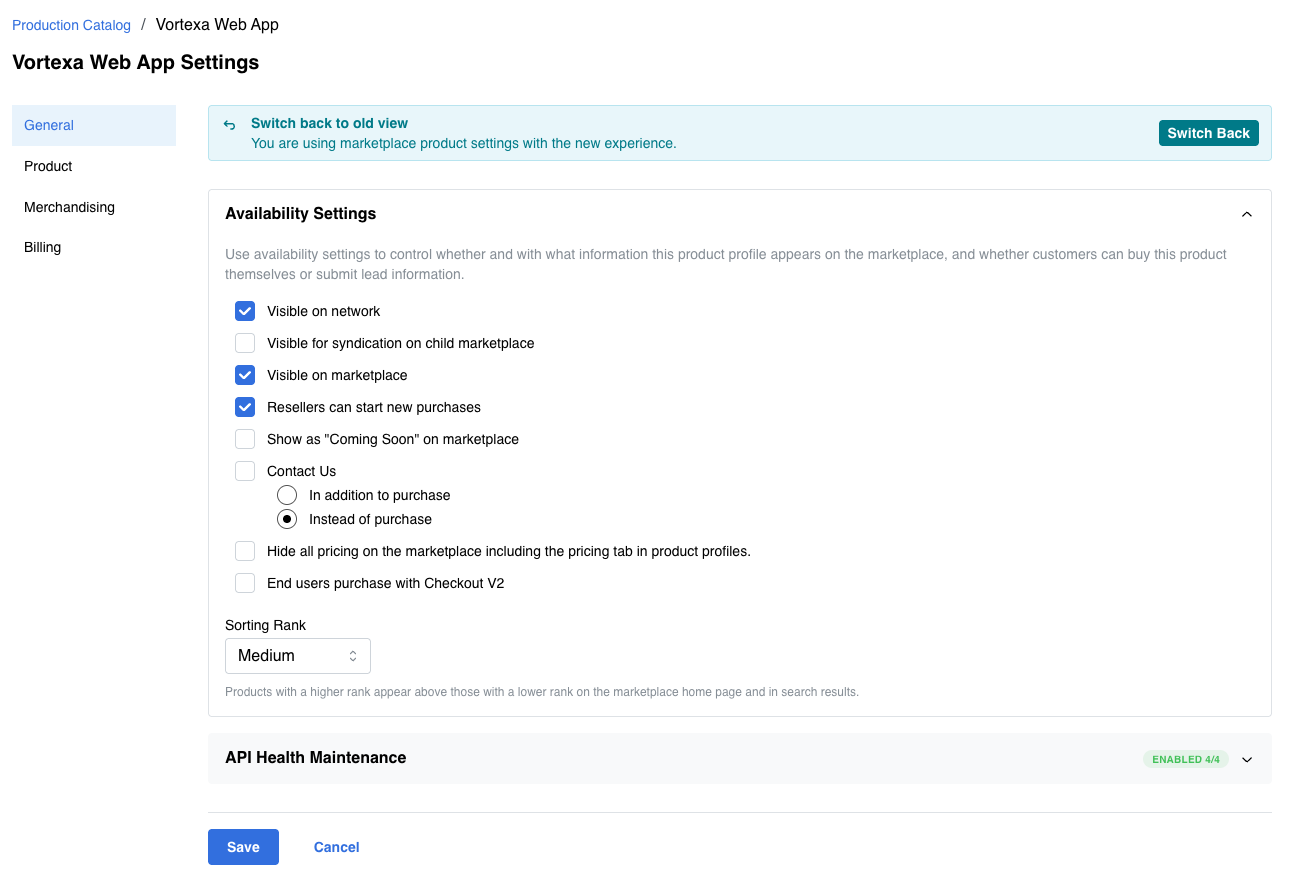
The Edit Marketplace Settings page has been redesigned to deliver a modernized interface and faster initial load performance. Marketplace Managers use this page to configure how a production catalog product appears and behaves on the marketplace.
All existing product marketplace settings are preserved. This is a UI and performance improvement, not a change to available settings or behavior.
Where the changes apply
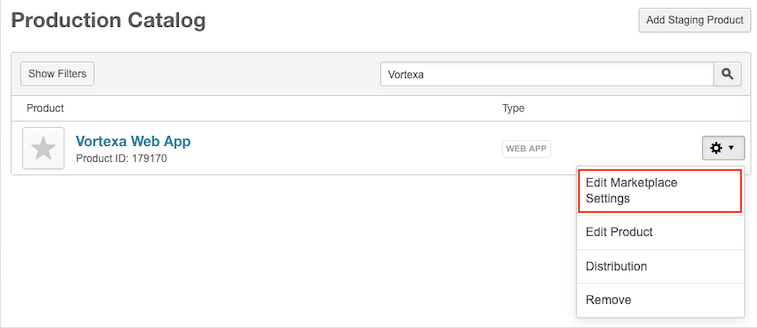
The updated experience is on Manage > Marketplace > Products > Catalog | Production Catalog. Open a product's Edit Marketplace Settings page (gear icon next to the product).
What is changing
- Modernized layout — A cleaner interface aligned with the current design system, making it easier to manage product settings on the General, Product, and Billing tabs.
- Faster initial load — Above-the-fold content is optimized for faster rendering, especially for first-time and low-bandwidth users.
- Revert banner — A banner on the page lets Marketplace Managers switch back to the previous version for the current session.
📝 Note: If your marketplace has existing customizations on this page, contact your AppDirect technical representative before rollout to ensure a smooth transition to the new interface.
Feature enablement
This feature is enabled by default.
Setting enablement
No setting enablement is required.
Documentation
Refer to the following:
Was this page helpful?
Tell us more…
Help us improve our content. Responses are anonymous.
Thanks
We appreciate your feedback!